Mini Dungeon
A demo by Josh Paddy for 24BitGames
ℹ️ About
Mini Dungeon is a 3D third person adventure dungeon-explorer game for desktop.
This document will provide an overview of the game concepts, mechanics and implementations.
💻 Development
The game was created using Unreal Engine 5.5.3. Blueprints was primarily used to quickly develop the concept, with C++ code being featured to demonstrate slightly more complex programming.
No plugins or third-party products were used, other than what is available in Unreal Engine.
All assets are CC0-licensed and were obtained from third-party creators.
The focus of this demo is to showcase programming and development and understanding of game mechanics, not to demonstrate graphics and media.
👾 Gameplay
The player moves their character through a series of generated dungeons, collecting all the coins in order to complete the level. Various obstacles and traps make obtaining coins more difficult, but the player may unlock powerups to improve their abilities.
The player does not have an attack, and must leverage the environment in order to overcome obstacles.
Controls
A simple control system is used: the player can only move and jump. The player does not have the ability to directly deal damage, and interactions are facilitated by walking to or over an object.
Character
The player controls a human-like character through the dungeons. Health is restored on each new level, and the player will die, ie. lose the level if their health reaches 0.
| Parameter | Value(s) | Description |
|---|---|---|
| Health | 100 | Amount of health the player starts with |
| Powerups | Key, Shield, Magnet | Reference list of powerups the player has |
| Event/Function | Description |
|---|---|
| BeginPlay | Initial player setup during runtime for creating bindings and references |
| Use Coin Magnet | Activate the coin magnet powerup |
| Suck Coin | Algorithm to pull a specific coin to player based on distance |
| Toggle Shield | Turns the shield powerup on or off |
| Has Died, Deduct Health, Health Changed, Collect Health | See lifetime_manager_bp |
| Take Damage, Is Alive, Take Item, Has Item, Use Item, Reset Health, Victory | See characters_interface_bpi |
Orcs
Orcs will follow the player around the dungeon, attacking them when in range. Orcs can also be damaged and killed.
| Parameter | Value(s) | Description |
|---|---|---|
| Health | 50 | Amount of health the orc starts with |
| Damage | 5 | Deal a small amount of damage every 0.2 seconds |
| Event/Function | Description |
|---|---|
| BeginPlay | Initial setup during runtime for creating references and saving the orc's start location |
| Tick | Tick event to check if the orc is close to the player and then follow them, or return to their start location |
| Has Died, Deduct Health | See lifetime_manager_bp |
| Take Damage, Is Alive, Take Item, Has Item | See characters_interface_bpi |
Dungeons
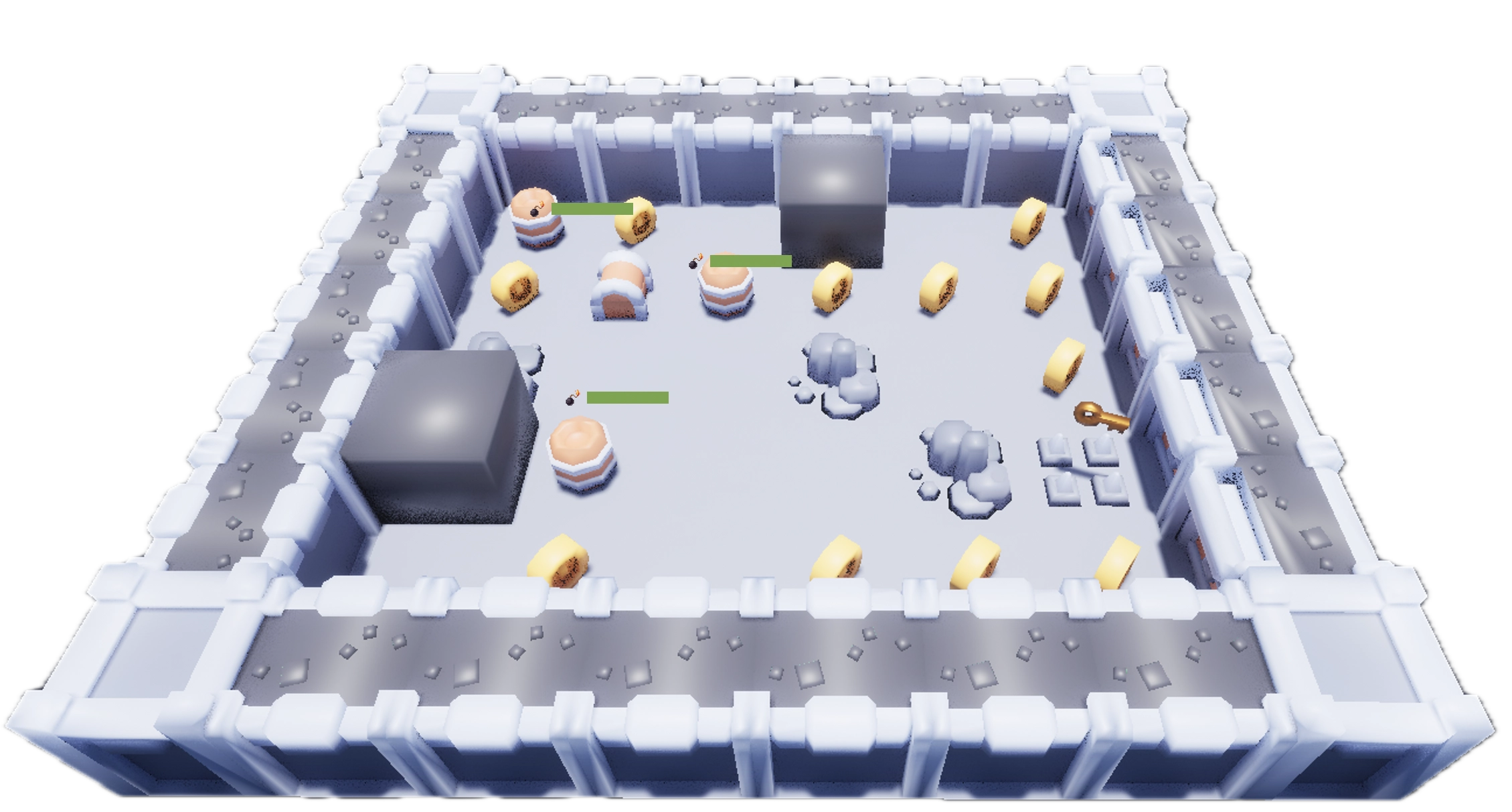
Dungeons are rooms that are procedurally generated with some randomisation, filled with various obstacles, traps and rewards.
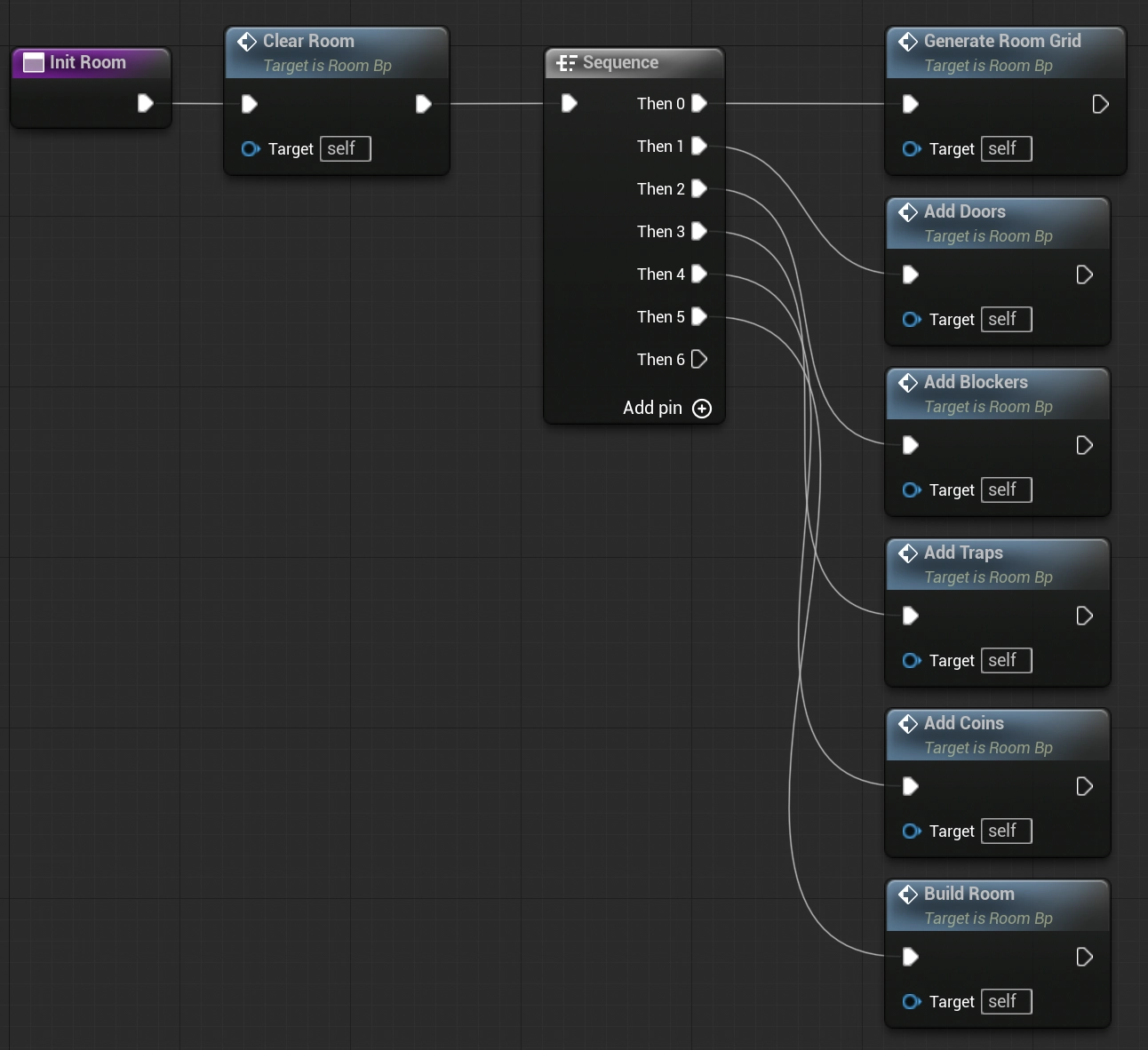
- Generate Room Grid
determine the rooms floors, walls and corners, and manage a list of all the room tiles. - Add Doors
traverse the walls and add properly aligned doors at fixed positions - Add Blockers
using a list of random meshes, add some blocking elements on floor tiles - Add Traps
find available floor tiles to add traps to - Add Coins
has a 50/50 chance of adding a coin on an open floor tile - Build Room
construct the room out of cheap assets like transformed instanced meshes, to save resources for big rooms - Spawn Orcs
check for available tiles to add a few orcs - Spawn Barrels
add barrels to some open tiles - Spawn Chest
finally, add a chest and key(s) to the room if necessary
Room Generation Procedure
Interface
The game makes use of both overlayed and in-game interface, the latter being non-interactive.
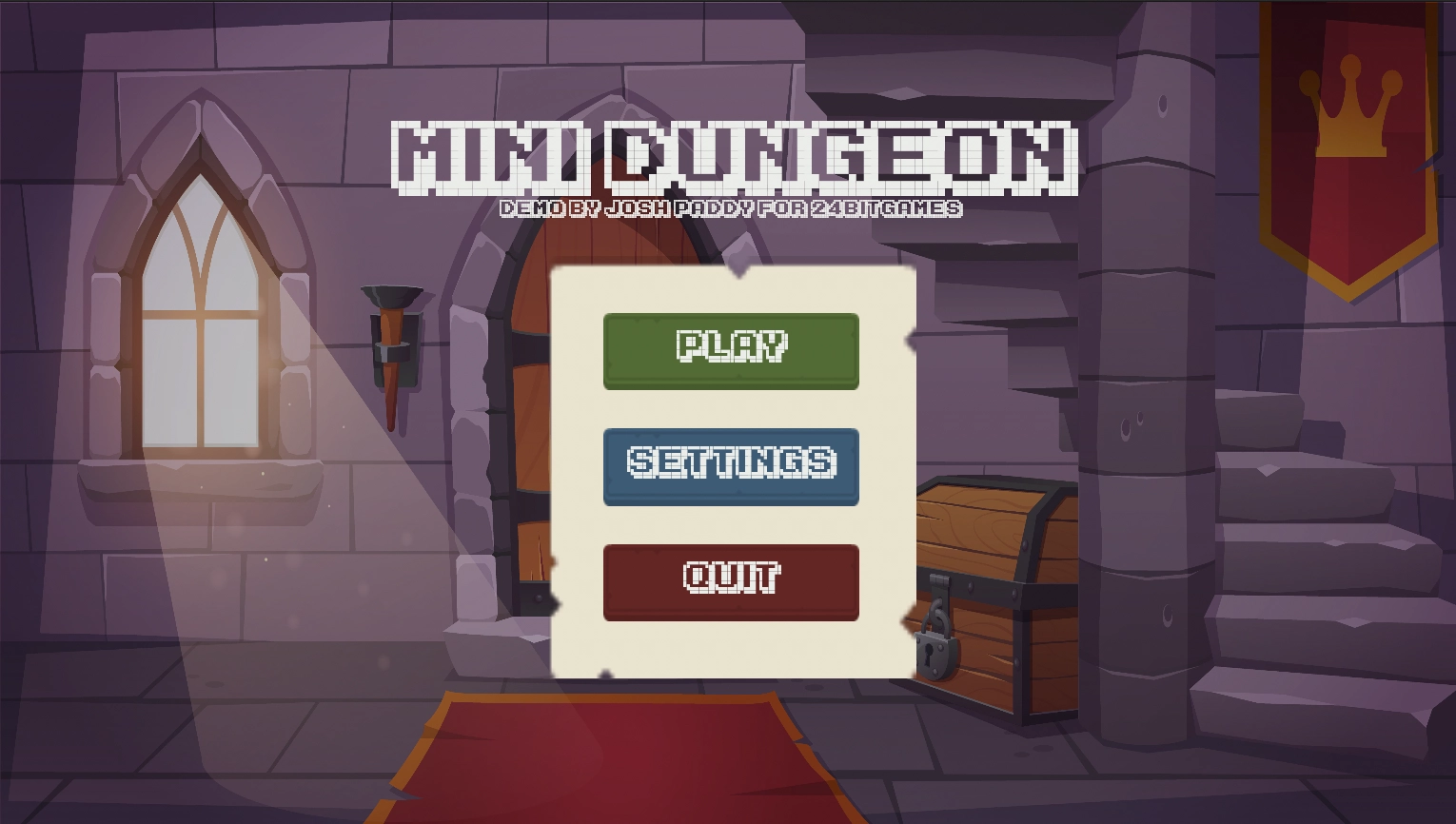
These are the main overlay UI's:
- Main Menu
- Play
- Settings
- Quit Confirm
- Round Results
In-game
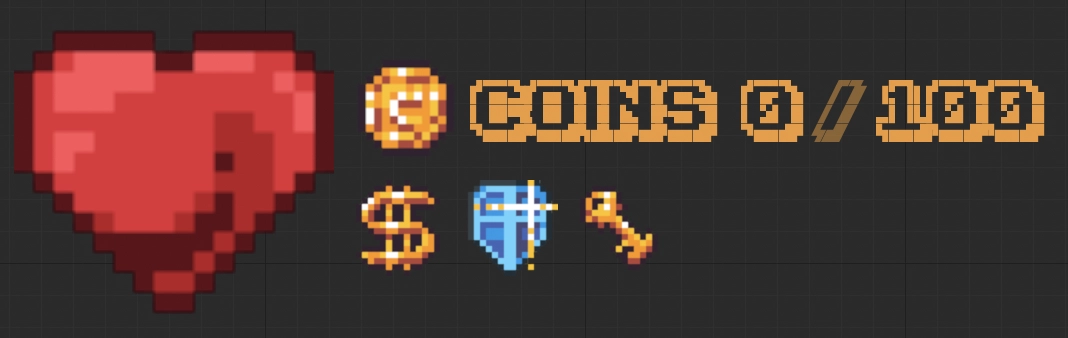
The main statistics and information about the player are displayed during playtime on the top-left of the viewport. This information is comprised of:
- player health
- coins collected
- total coins available for collection
- powerups
- keys
Orcs display a health bar over their character; similarly, barrels display their countdown timer above them. Signs also pop up with non-interactive informational text.
Overlay
All interfaces that control game-level aspects are displayed as overlays. This is primarily used for menus and the score screen.
Levels
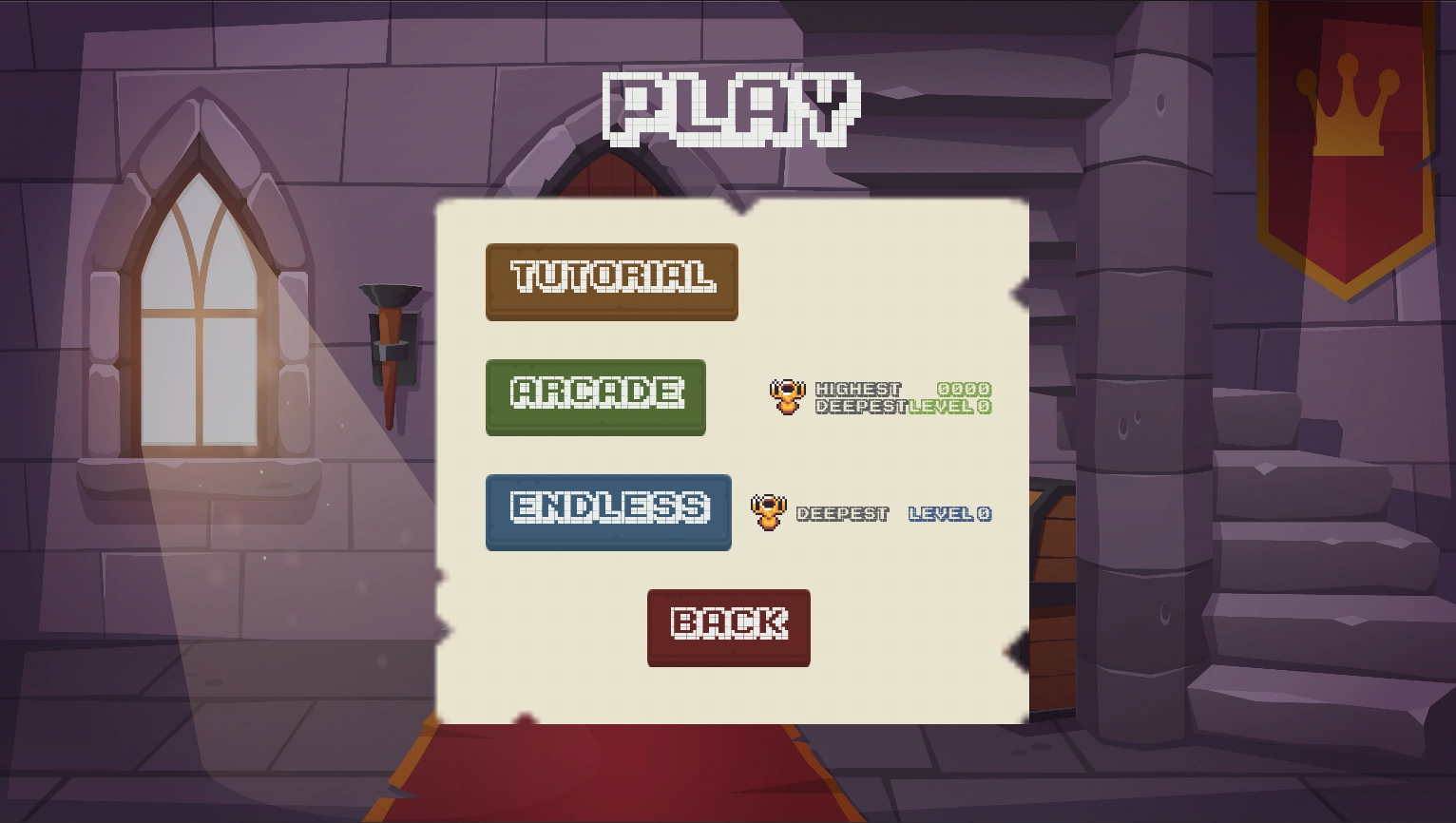
Three play modes are available:
Tutorial
Give the player a quick introduction to the game mechanics.
Arcade
The standard play mode, the player completes individual dungeons in order to proceed to the next one.
The objective of this mode is to complete a dungeon with the highest possible score. Score is based on:
- how quickly the player can collect the coins
- how much health they have
- how far into the game they are (ie. dungeons completed this session)
Dungeons are considered synonymous with Levels in this mode, because each level only contains one dungeon.
Endless
In this mode, once the player collects all the coins in a dungeon, a new dungeon is immediately created and attached via a door. This creates a seamless ie. endless experience.
The objective of this mode is to complete as many dungeons as possible without dying.
There is only one level in this mode, which contains multiple dungeons connected together.
Collectables
Various collectables are available in the game, and some of them also function as powerups - they provide the player with an ability for that play-through.
Collectables are represented with spinning models in the game, and make a sound and text popup when they are collected. The player may simply walk over a collectable item to take it.
These items are all based on the collectable class.
| Parameter | Value(s) | Description |
|---|---|---|
| Detection Radius | 50 | How close must a valid actor be to collect it |
| Rotation Speed | 30° | How fast does the item spin in the world |
| Collectable Type | Coin, Health, Coin Magnet, Shield, Key | The type of collectable it is |
Coins
The most basic collectable, the player must collect all the coins to complete a dungeon.
The total number of coins available in the level, as well as the number of coins already collected, is displayed in the user interface on the top left of the screen.
All coins have a value of 1.
Health
These heart-shaped pickups restore a portion of the player's health, allowing them to play longer.
Hearts may dispense any value of health
Key
Keys are used to unlock chests. Keys may only be used once, and the player may only hold one key at a time. Keys are always generated when a chest is present in a dungeon.
If the player has a key, it will be indicated in the UI.
Interactives
These items have unique functionality, and are activated when the player is near them.
These items are all based on the proximity_triggered class.
Barrel
Barrels are physics-based, which means they can be knocked around. A barrel is activated once touched, beginning a countdown (displayed above the barrel as a progress bar).
The time it takes for a barrel to explode is unknown.
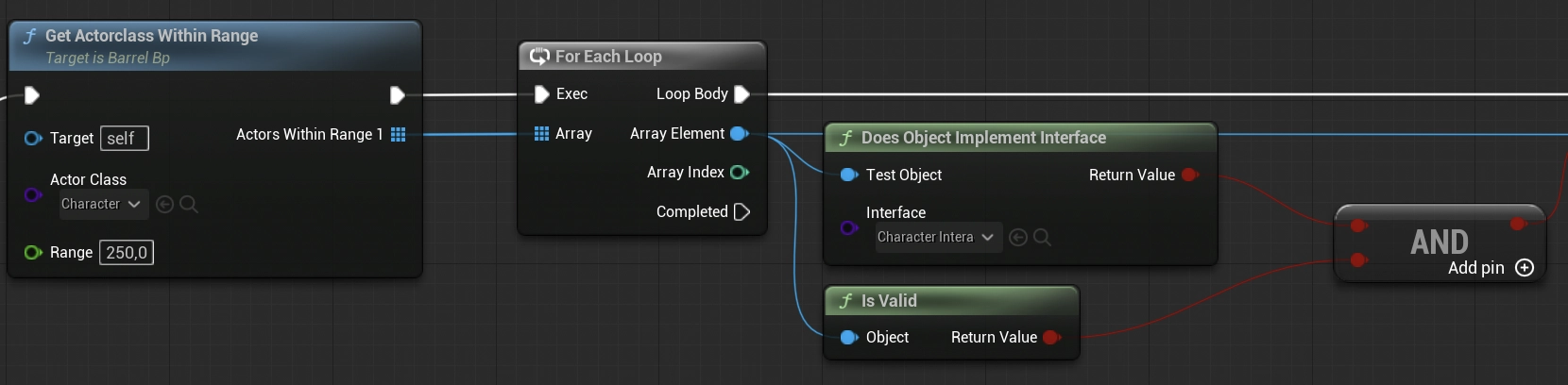
Once the countdown reaches 0, the barrel will explode. The player, nearby orcs, and nearby traps are all damaged. Any barrel that is within range will also be activated.
Barrels deal the most individual damage.
| Parameter | Value(s) | Description |
|---|---|---|
| Explosion Range | 250 | Range within which to damage actors |
| Damage | 75 | Amount to damage actors in range |
| Countdown Timer | 0.001 to 0.1 | Time delta to deduct from the remaining time |
Trap
These spikes rise out of the ground at random intervals, but also when the player approaches them. The spikes deal damage to the player and orcs alike.
| Parameter | Value(s) | Description |
|---|---|---|
| Explosion Range | 250 | Range within which to damage actors |
| Damage | 75 | Amount to damage actors in range |
| Countdown Timer | 0.001 to 0.1 | Time delta to deduct from the remaining time |
Traps can be destroyed by setting off a barrel near to the trap.
Door
Doors allow the player to enter a new area without necessarily proceeding to a new level. Doors are faced inwards on each dungeon, hence the player will traverse 2 doors when moving between dungeons.
Doors cannot be destroyed, and will only be unlocked when all the coins in the dungeon have been collected.
Sign
Signs are used for providing the player with additional information in the game. Signs are used primarily in the Tutorial level to explain certain functionality more verbosely.
Signs simply pop up with a text message when the player is within range. The message is non-interactive and non-blocking, ie. gameplay is not interrupted.
Chests
Chests are both unique and rare. They provide a (usually) random powerup for the player.
Chests are always locked, requiring a key to open them. Once opened, the chest will provide a perk and then be re-locked, again requiring a key to receive a new powerup.
Powerups
Powerups are exclusively provided by chests. They provide the player with an ability which enhances the gameplay experience.
Coin Magnet
This powerup will pull nearby coins toward the player, drastically reducing grind and level playtime.
Coin magnets do not transfer across levels.
Shield
Shields absorb all damage, deflecting it away from the player's primary health.
Shields will last until they have absorbed as much damage as they can. Shields can also be transferred across levels.
⚙️ Systems
These systems are used to communicate and thus facilitate various gameplay mechanics.
Game Instance
game_instance_bp
This is the over-arching class that persists for the entire game session, and is used for tracking persistent data.
| Event/Function | Description |
|---|---|
| Retry Level | Let the player re-attempt the same difficulty level |
| Next Level | Let the player proceed to the next difficulty level |
| Open Play Level | Open the level for playmodes like arcade and endless |
| Start New Round | Tell various systems to re-initialise |
| Open Tutorial Level | Specifically load the tutorial context |
Round Manager
round_manager_bpc
Usually found on the specific gamemode, this provides management for the playtime round information.
| Event/Function | Description |
|---|---|
| Coin Check | Reset coin values and initialise Recheck Coin Count |
| ReCheck Coin Count | Check how many coins are left whenever one was collected |
| Start Round | Start the round timer |
| End Round | End the round timer to determine the duration |
| Show Round Results | Calculate the score and display it on the UI |
Lifetime Manager
lifetime_manager_bp
Used on actors with an expected lifetime, this component allows various other systems to affect the owner's health.
| Event/Function | Description |
|---|---|
| Deduct Health | Remove health if possible |
| Collect Health | Add health if possible |
| Reset Health | Reset health and ensure aliveness |
SaveGame Manager
savegame_manager_bpc
Used to manage the player's playtime metrics and makes it available anywhere necessary. The game makes use of a highest-record style system, meaning that the best score based on the play mode is stored.
| Event/Function | Description |
|---|---|
| Save Results | Temporarily store the current results and compare them with other records |
| Save Game | Actually save the data if necessary |
| Load Results | Load game data and parse it as results |
| Clear SaveGames | Clear all saved games stored |
Character Interactions Interface
characters_interface_bpi
This interface exposes functionality used by characters, ie the player and orcs.
| Event/Function | Description |
|---|---|
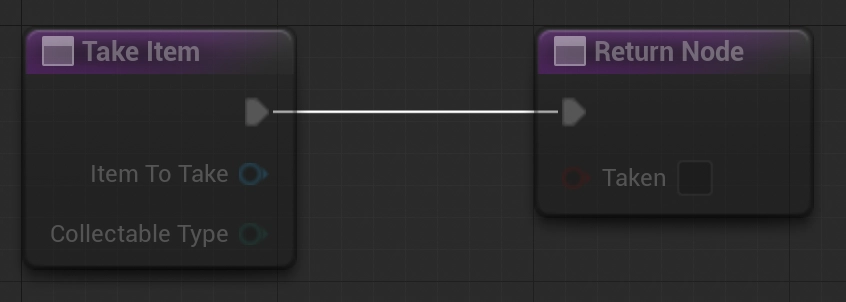
| Take Damage | Deals damage to a recipient, usually one using lifetime_manager_bp |
| Take Item | Give an item to a recipient actor who can use it |
| Is Alive | Check if the actor is alive |
| Reset Health | Tell the actor to reset their health |
| Victory | Tell the actor (usually the player) to celebrate |
| Use Item | Tell the actor to use an item |
| Has Item | Check if an actor has an item |
Level Generator
level_generator_bp
This actor is used to facilitate easier generation of dungeon rooms within a level. Further to rooms, it has a better understanding of how to contextualize rooms procedurally based on the current gameplay state.
Dungeon Room
room_bp
This is the main procedurally generated dungeon room. Multiple rooms may exist, and various conditions can be passed into the room on instantiation to create rooms.
Although rooms are procedurally generated, certain elements are non-deterministic, making it unviable to duplicate complex rooms.
Rooms go through a series of tasks in order to generate a room:
- Generate room grid - determine the main room grid area and tiles to work with
- Add doors - used to connect to other rooms
- Add blockers - used to inhibit player movement
- Add traps - further inhibit player movement while damaging them
- Add coins - coins are placed in some available spaces
- Build room - enough static data has been collected to construct the room
- Spawn Orcs - these enemies are spawned at runtime
- Spawn Barrels - these traps are spawned at runtime
- Spawn Chest - added to the room at runtime
Some additional helper functions are included, such as:
- Clear room - reset the room
- Blocking door? - check if something new might block a door
- Debug indices - display the tile indices above them for debugging and dev purposes
🧩 Code Examples
The following images demonstrate some key development concepts that where employed. The source code can be further explored as necessary.A function-only interface for use between actors characters_interface_bpi
Target relevant actors dynamically barrel_bp
Simple reusable parent-class implementations proximity_trigger_bp
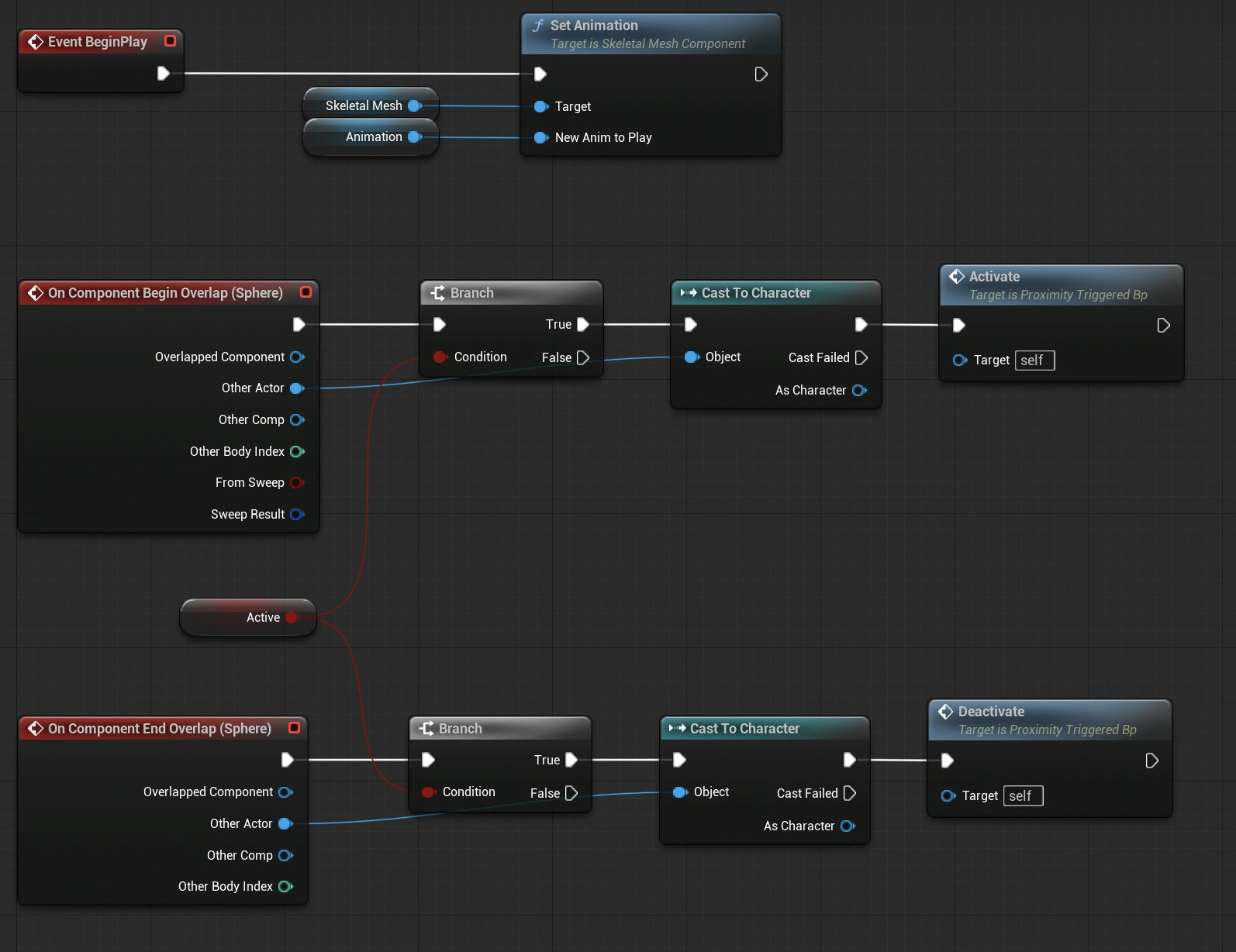
Child class extending its parent proximity_sign_bp
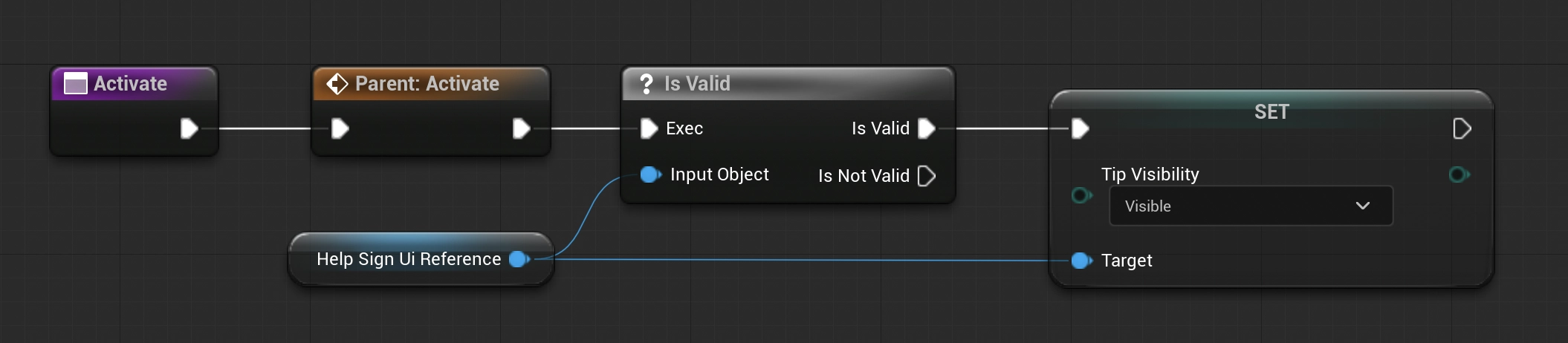
Straightforward and easily extendable function and event implementations room_bp
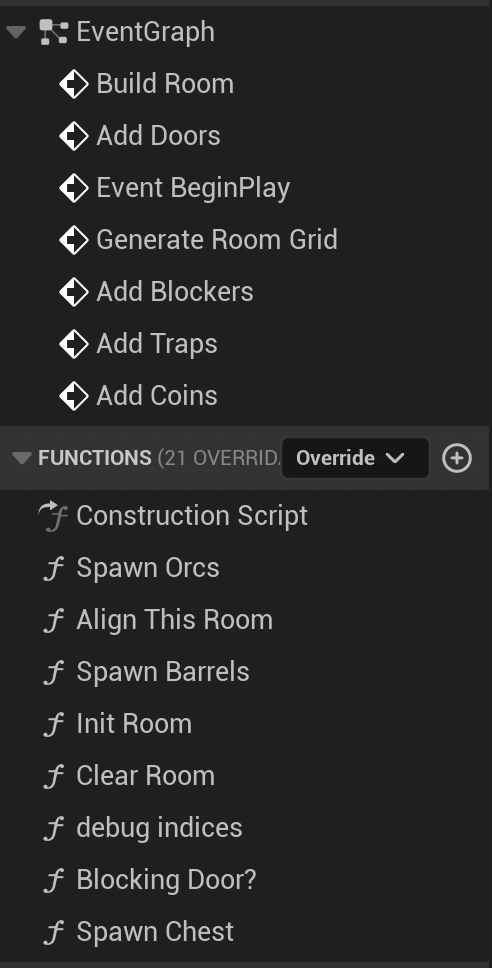
Logical and legible execution trees room_bp